

Prisha Reimagined the Dance Calendar
06/23/2026
A note from Prisha:
I'm incredibly excited for dancers to start using danZING Calendar and sharing their feedback! Every suggestion helps shape danZING into an even better experience for the dance community.
Creating the new danZING Calendar took months of brainstorming, sketching, testing ideas, and talking with dancers about the challenges they face every day. Dance schedules can already feel overwhelming—your calendar shouldn't add to the stress.
The goal was simple: build a calendar experience designed specifically for dancers that feels intuitive, organized, and enjoyable to use. Keep reading to explore the thinking behind the design and the visual inspiration that helped bring the new danZING Calendar to life.
Most calendars weren't built for dancers.
Whether you're using a paper planner, your phone calendar, or a studio app, almost every calendar follows the exact same format: monthly, weekly, and daily views.
The problem? Dance isn't organized that way.
A competition weekend isn't the same as a technique class. A rehearsal isn't the same as a team meeting. Yet traditional calendars display everything exactly the same.
When I started redesigning the danZING Calendar, I thought I was building another scheduling feature.
I was wrong.
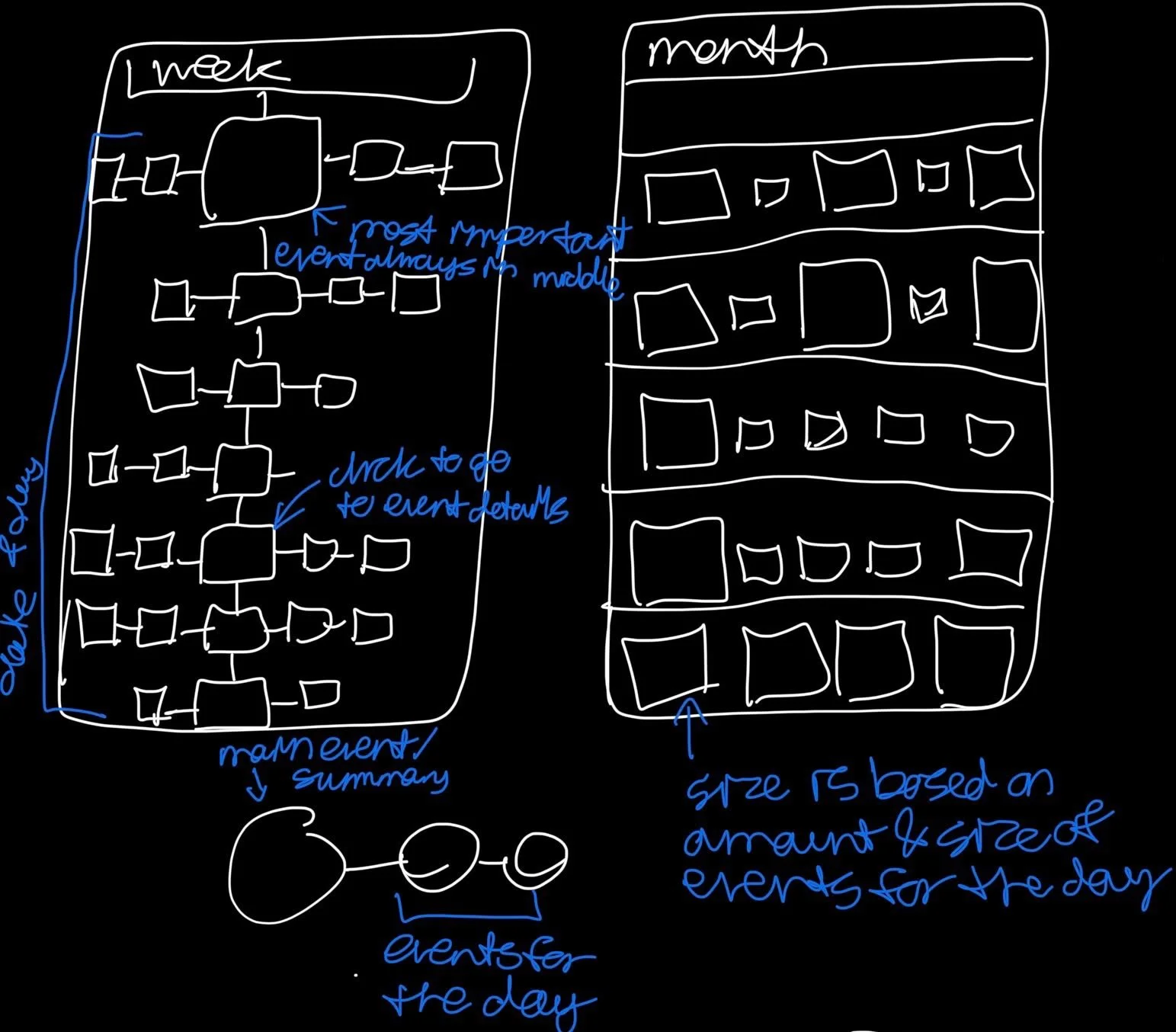
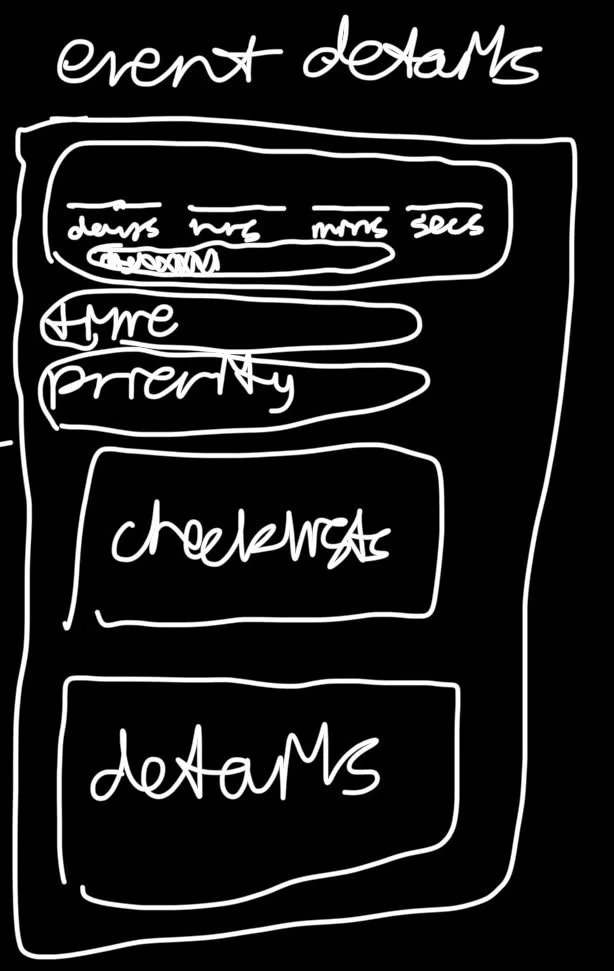
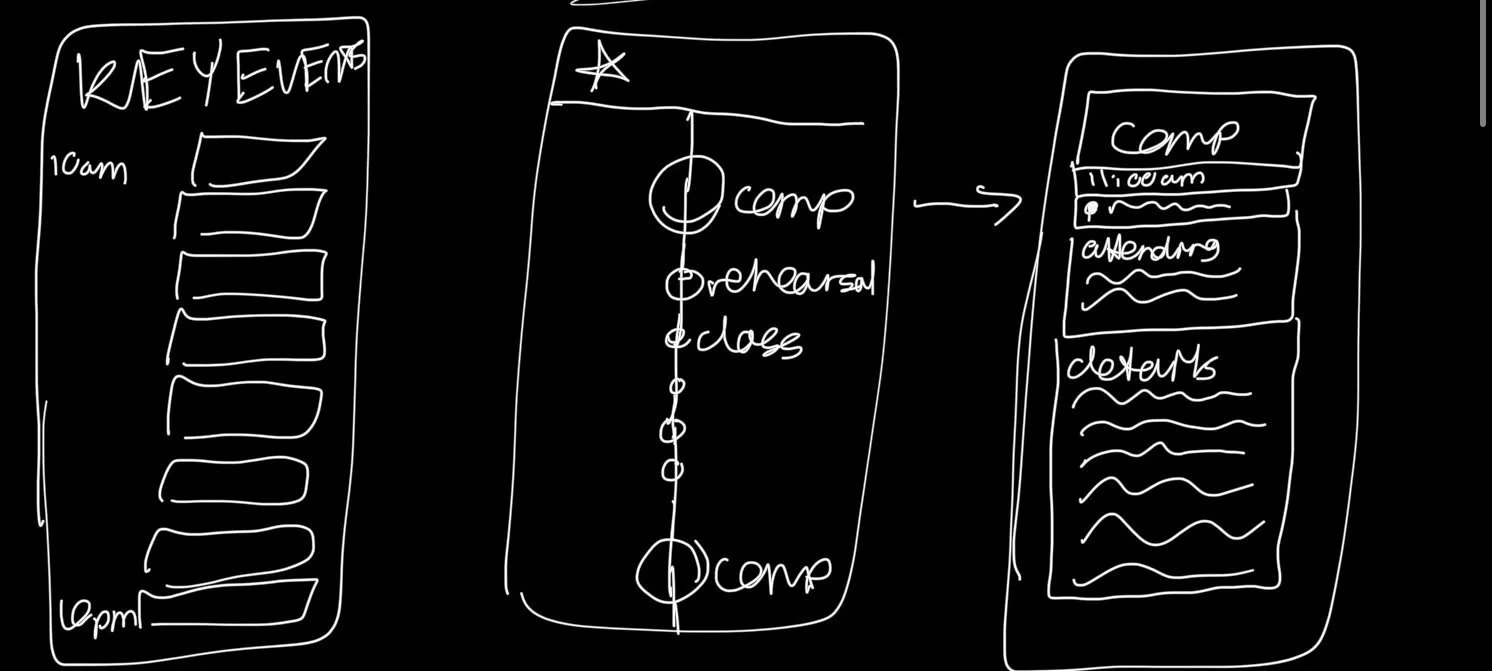
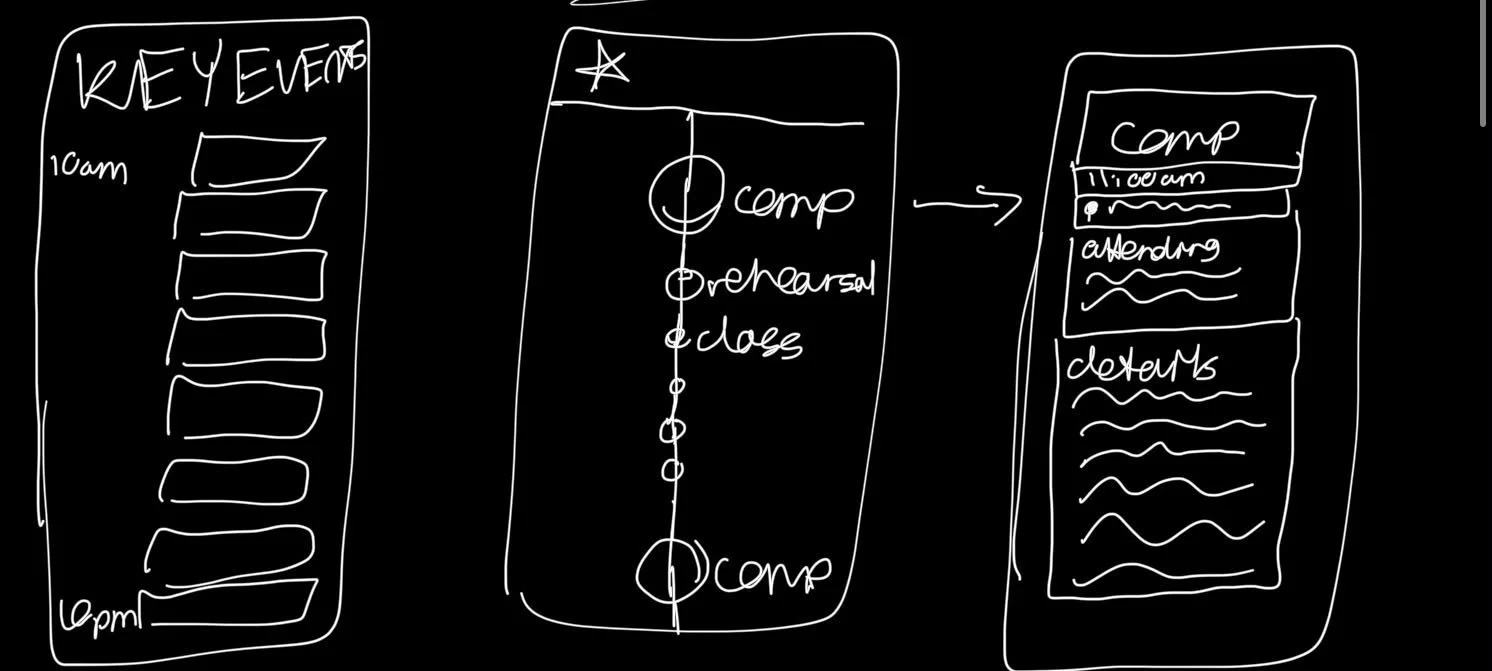
After countless sketches, redesigns, conversations with dancers, and more calendar mockups than I'd like to admit, I kept coming back to one idea:
Dance is visual.
Dancers learn choreography by seeing it. They process formations visually. They understand movement through patterns, spacing, and repetition.
So why should their schedule feel like a spreadsheet?
Instead of creating another traditional calendar, we built a completely new visual scheduling experience designed specifically for dancers.
A Timeline That Prioritizes What Matters Most
The new danZING Calendar combines timeline-based scheduling with priority-based organization.
Instead of every event looking identical, events visually scale based on their importance.
A national competition appears larger and more prominent than a regular class.
A rehearsal stands out more than a weekly technique session.
The result is a calendar that instantly communicates what deserves your attention without requiring you to read every single event.
You don't just see what's happening.
You immediately understand what matters most.
Five Ways to View Your Dance Schedule
Every dancer organizes information differently, which is why the new danZING Calendar includes five unique views:
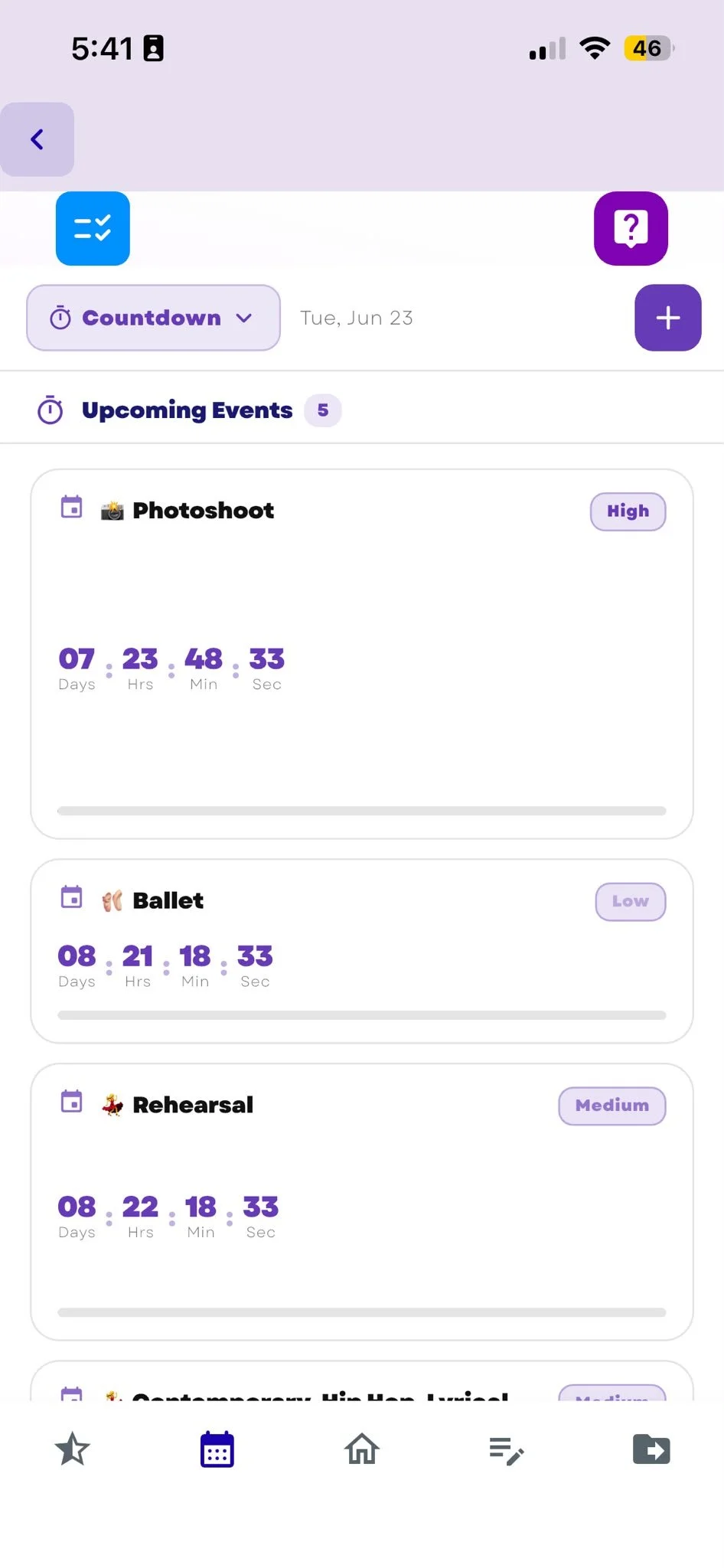
Countdown View
See exactly how many days, hours, and minutes remain until your next competition, rehearsal, audition, or performance.
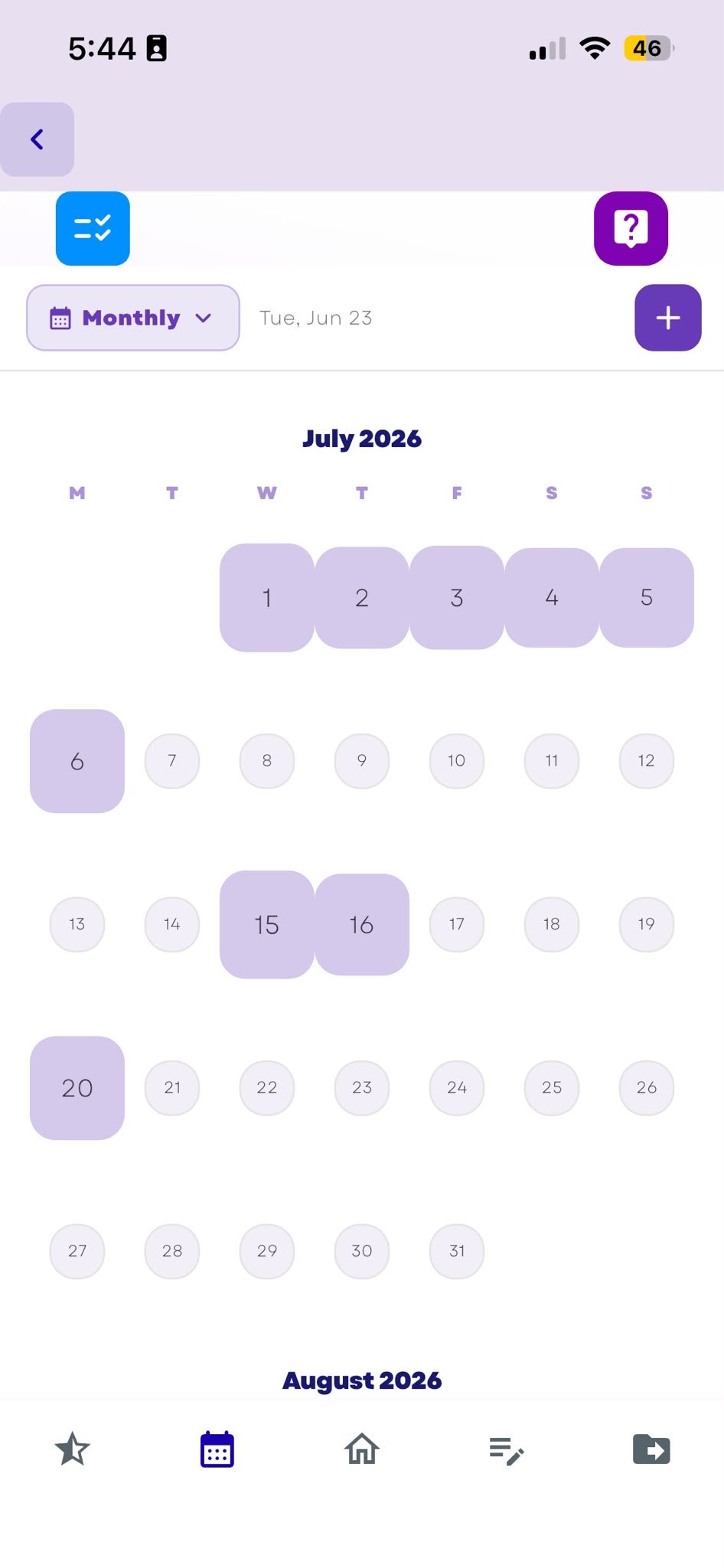
Monthly View
Get a high-level overview of your entire month, including competitions, rehearsals, classes, and events.
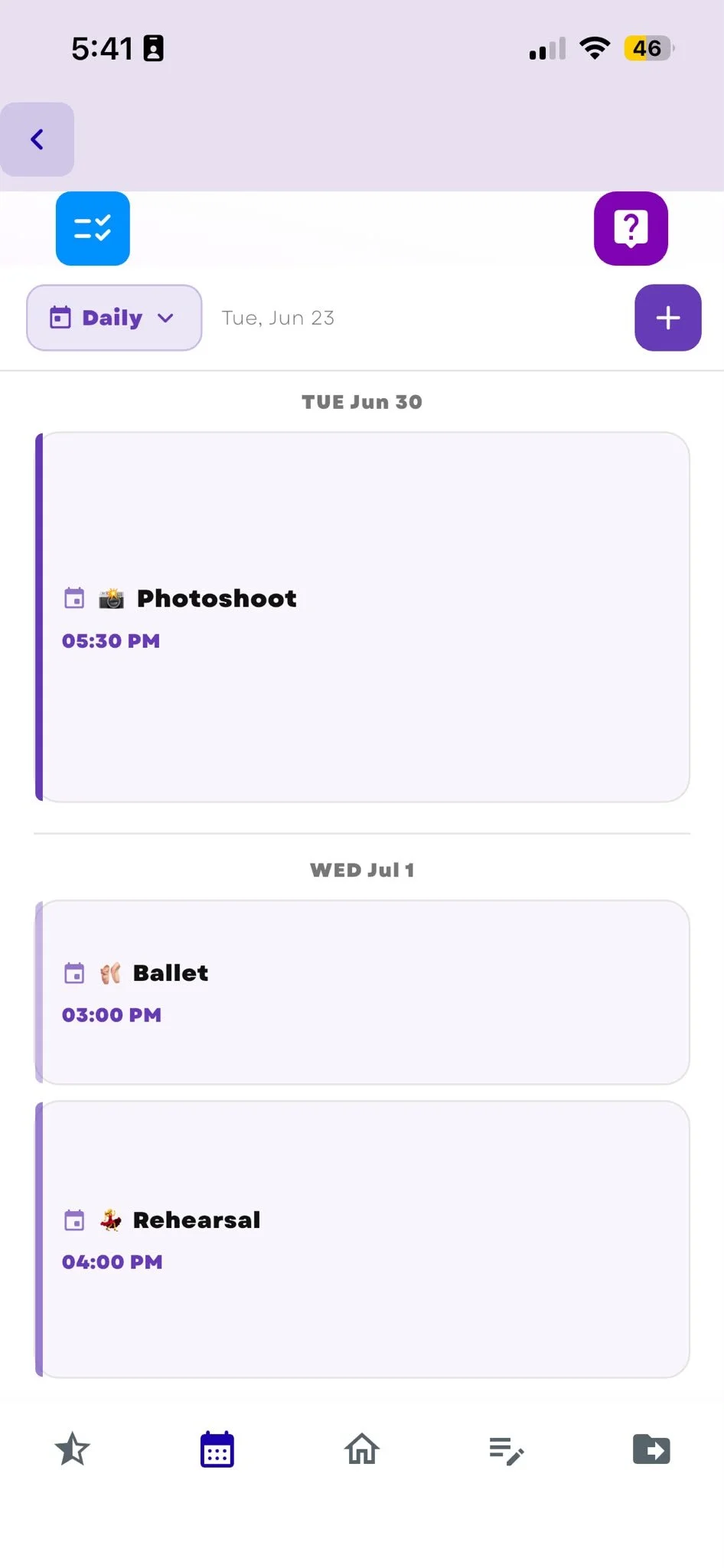
Weekly View
Focus on the week ahead and see how your schedule is balanced across practices, performances, and commitments.
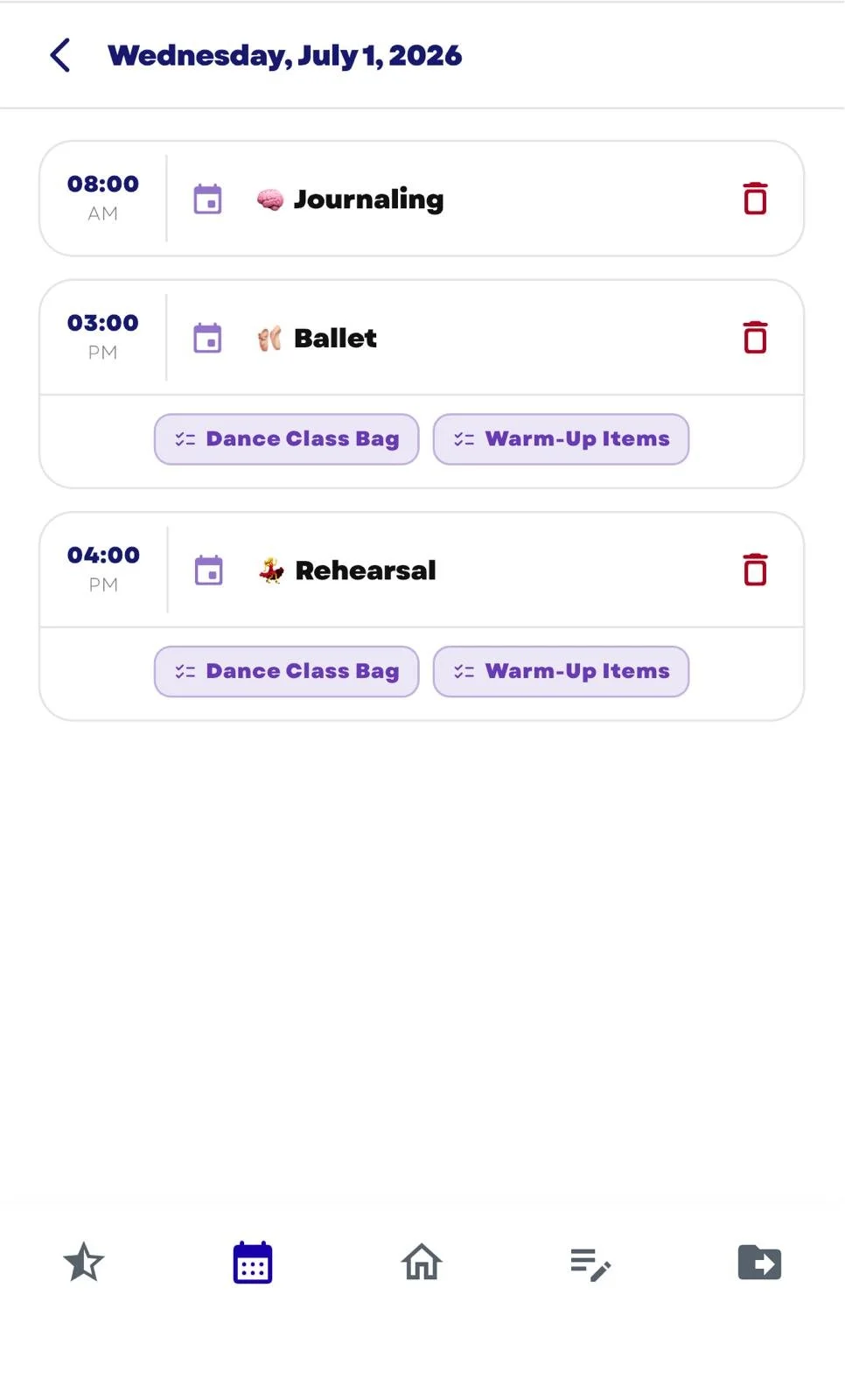
Daily View
Stay focused on today's priorities without distractions.
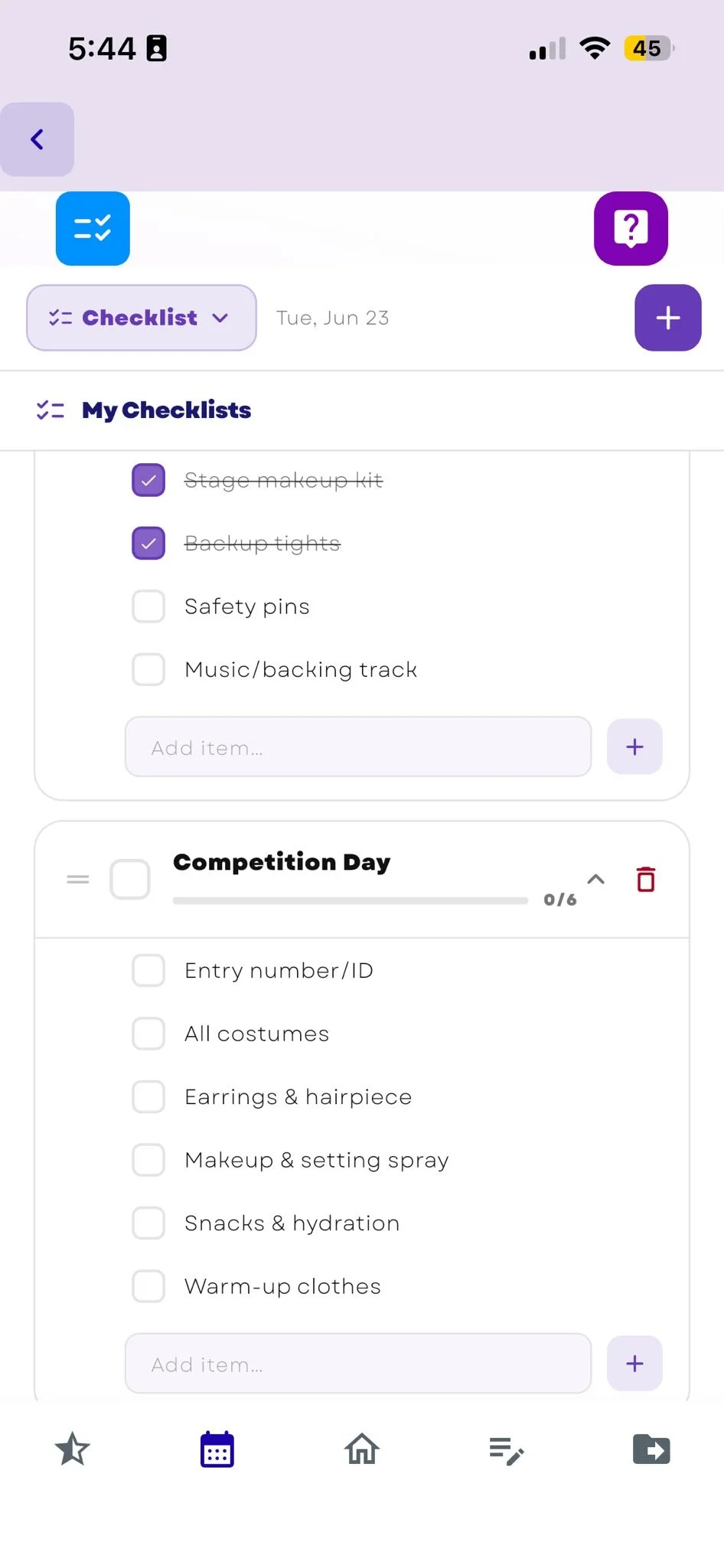
Checklist View
Keep track of everything that needs to be done before major events, from costumes and makeup to packing lists and competition preparation.
Built for the Reality of Competitive Dance
Competitive dancers aren't managing simple schedules.
They're balancing rehearsals, conventions, competitions, technique classes, private lessons, school commitments, travel, costumes, and countless details in between.
The new danZING Calendar was built to make that complexity easier to see, understand, and manage.
Because dancers deserve more than a generic calendar.
They deserve one designed for the way they actually dance, train, and compete.
Ready to use the new danZING Calendar?
Google Calendar vs. danZING Calendar
Google Calendar works for meetings. danZING works for dancers.
Google Calendar is great for basic scheduling—but it wasn’t built for dance life.
If you’re trying to manage dance classes, rehearsals, competitions, private lessons, deadlines, and everything in between, you need more than a generic calendar.
Google Calendar is built for general scheduling
Best for meetings, appointments, and basic events
Standard day, week, month, and year calendar views
No dance-specific planning tools for rehearsals, competitions, or prep
Limited support for the way dancers actually organize their schedules
danZING Calendar is built for dancers
Organize your full dance schedule in one place—classes, rehearsals, competitions, privates, and more
Switch between daily, weekly, monthly, countdown, and checklist views
Built by dancers, for dancers
Plan not just your events, but also your competition prep, reminders, and to-dos
Google Calendar helps you keep track of events. danZING helps you manage dance life.
danZING Calendar FAQs
-
danZING Calendar is a visual dance calendar inside the danZING app designed to help dancers keep track of classes, rehearsals, competitions, and other important events in one place. It includes five views—daily, weekly, monthly, countdown, and checklist—so dancers can see their schedule in the way that works best for them. danZING Calendar is currently included as a free feature inside the app.
-
When dancers add an event to danZING Calendar, they can assign it a priority level: low, medium, high, or critical. That priority is then reflected visually across the calendar, with more important events appearing larger so dancers can quickly see what matters most. It’s designed to make busy dance schedules easier to understand at a glance.
-
danZING Calendar is designed for dancers who want an easier way to manage classes, rehearsals, competitions, and dance-related to-dos. It can also be useful for dance teachers, studio directors, and dance parents who help manage a dancer’s schedule. Shared calendar functionality is currently in progress and planned for a future update.
-
danZING Calendar helps dancers stay on top of busy dance schedules so they are less likely to forget important events or feel unprepared for competitions, rehearsals, and performances. With daily, weekly, monthly, countdown, and checklist views, it gives dancers multiple ways to organize what’s coming up and prepare for major events with less stress.
NOTE: danZING is only available on the App Store (currently working on getting on the Play Store, as well!) in the US and CA.